Introduction to Event Listeners in JavaScript
Handling user interactions is a core aspect of modern web development. JavaScript event listeners provide a powerful mechanism to respond to user actions such as clicks, keyboard inputs, mouse movements, and more. Understanding how to effectively use event listeners is essential for creating interactive and dynamic web applications.
What Are Event Listeners?
An event listener is a function that waits for a specific event to occur on a targeted HTML element. When the event triggers, the listener executes defined code to handle the event. This approach enables developers to build responsive interfaces that react immediately to user input.
Common Events in Web Development
- click: Triggered when a user clicks an element.
- mouseover: Fires when the cursor moves over an element.
- keydown/keyup: Captures keyboard key presses or releases.
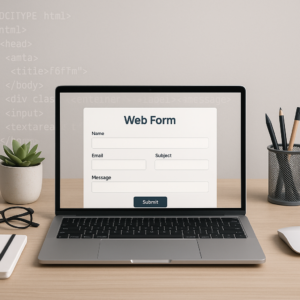
- submit: Occurs when a form is submitted.
- input: Detects changes in input fields in real-time.
Attaching Event Listeners
The standard and most common method to add event listeners is addEventListener. It provides flexibility and allows multiple listeners on the same element and event type.
Basic Syntax
element.addEventListener('event', function(event) {
  // event handling code
});
Example: Click Listener
const button = document.querySelector('button');
button.addEventListener('click', function() {
  alert('Button clicked!');
});
Best Practices for Using Event Listeners
- Use Proper Event Delegation: Instead of attaching listeners to multiple child elements, attach one listener to a common parent. This improves performance and management.
- Remove Unused Listeners: Clean up unnecessary listeners to avoid memory leaks using
removeEventListener. - Leverage Event Object Properties: Use event data such as
event.targetorevent.preventDefault()to control event behaviors. - Avoid Inline Event Handlers: Stick to
addEventListenerto keep JavaScript separate from HTML for better maintainability.
Handling Multiple Events
You can add multiple listeners to an element for different events or even the same event type to execute different actions.
Example: Multiple Events
const inputField = document.getElementById('username');
inputField.addEventListener('focus', () => {
  console.log('Input field focused');
});
inputField.addEventListener('blur', () => {
  console.log('Input field lost focus');
});
Using Event Listeners for Responsive User Interfaces
Event listeners allow you to create UI components that react instantly to user behavior, making the experience smooth and engaging.
- Real-Time Form Validation: Validate input as users type using the
inputevent. - Interactive Navigation: Highlight menu items on hover or click events.
- Drag and Drop: Detect mouse events to implement dragging functionality.
Conclusion
Mastering JavaScript event listeners is fundamental to building interactive web applications. By understanding how to effectively attach, manage, and utilize event listeners, developers can create seamless user experiences. Remember to follow best practices such as event delegation and proper cleanup to maintain optimal performance and code quality.