Understanding Inline and Block Elements in HTML
When building web pages, grasping the distinction between inline and block elements is essential for creating clean, well-structured layouts. These two fundamental types of HTML elements behave differently in terms of spacing, line breaks, and styling, directly impacting the presentation and usability of your website.
What Are Block Elements?
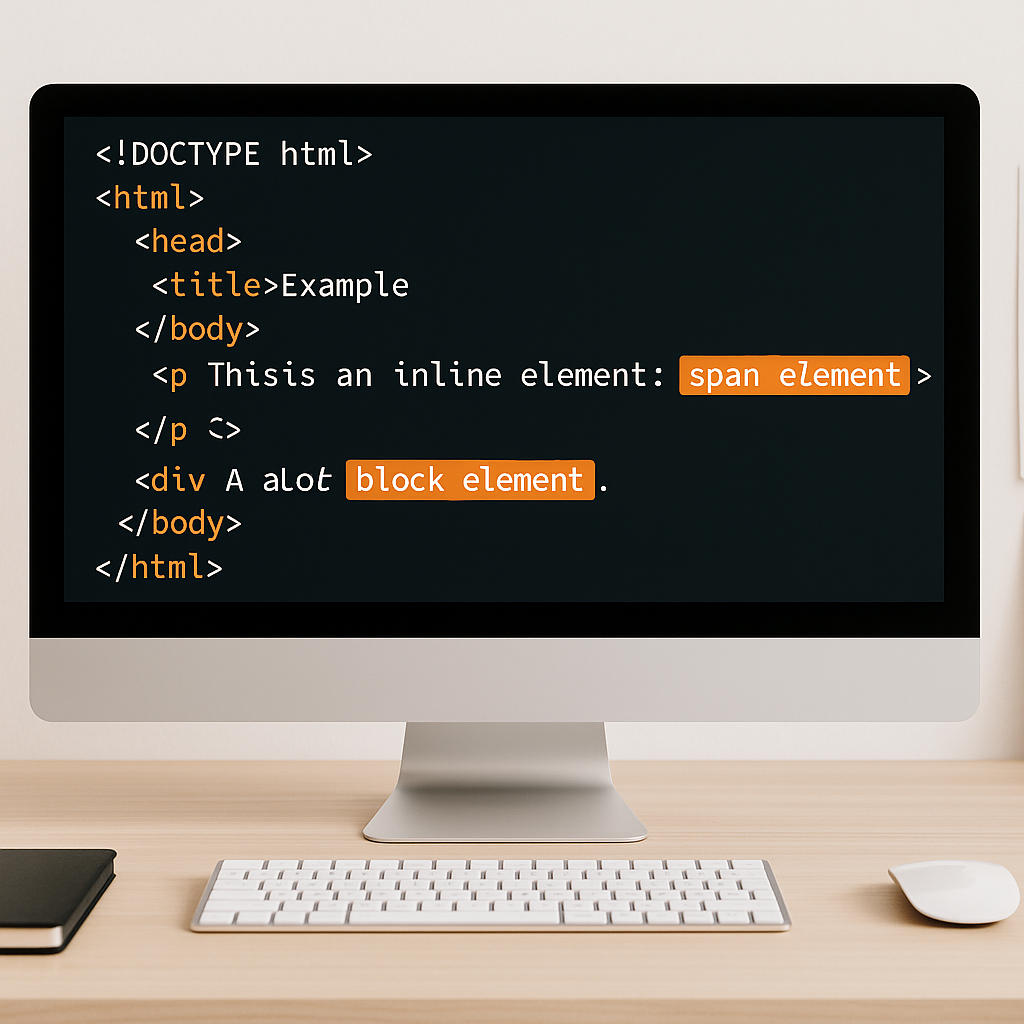
Block elements are the building blocks of a webpage’s structure. They typically start on a new line and take up the full width available, stretching horizontally across their container.
Common Characteristics of Block Elements
- Always start on a new line
- Expand to fill the width of their parent container
- Allow height, width, margin, and padding to be set
- Can contain other block or inline elements
Examples of Block Elements
- <div>
- <h1> to <h6>
- <p>
- <ul>, <ol>, <li>
- <section>
What Are Inline Elements?
Inline elements, in contrast, do not start on a new line. They occupy only the space bounded by the tags’ content and allow other elements to sit beside them horizontally.
Common Characteristics of Inline Elements
- Do not start on a new line
- Only take up as much width as necessary
- Allow padding and margin on left and right but not height or vertical margins effectively
- Cannot contain block elements, only other inline elements or text
Examples of Inline Elements
- <span>
- <a>
- <strong>
- <em>
- <img>
Behavioral Differences in Practice
The different behaviors of inline and block elements influence how content is displayed and how developers approach layout design.
- Line Breaks: Block elements always create a line break before and after themselves, while inline elements flow within a line of text.
- Width and Height: Width and height properties work reliably on block elements, but inline elements ignore these properties unless their display property is changed.
- Box Model Application: Margins and padding on inline elements only affect horizontal spacing; vertical margins and padding typically have no effect.
When to Use Block Elements
Block elements are ideal for defining large sections or grouping content, building the page’s skeleton and structure. Examples include paragraphs, headings, containers, and layout divisions.
- Use <div> for generic page sections
- Use <p> for paragraphs of text
- Use heading tags (<h1> – <h6>) to organize content hierarchically
When to Use Inline Elements
Inline elements work best for styling or marking up small chunks of text or media within block-level containers without breaking the flow of content.
- Use <span> to style parts of text
- Use <a> to add hyperlinks inline without disrupting layout
- Use <strong> or <em> to emphasize text meaningfully
Modern CSS and Display Properties
While the default behaviors of inline and block elements suit many scenarios, CSS allows developers to override these defaults using the display property. For example:
- Changing a block element to behave like inline with
display: inline; - Making an inline element behave as block using
display: block; display: inline-block;combines characteristics of both, allowing width, height control and inline flow
This flexibility enhances layout design but requires understanding the foundational difference between inline and block to apply properly.
Conclusion
Mastering the difference between inline and block elements is critical for semantic, maintainable, and visually coherent HTML. Proper use ensures better control over content flow and appearance, resulting in more robust and user-friendly web pages.
By leveraging the inherent behaviors of these elements alongside modern CSS techniques, developers can create flexible and efficient layouts that meet a wide range of design needs.