From Beginner to Advanced – A Practical Handbook for Developers, PMs, Founders, and AI Builders
Who this guide is for: Whether you’re a developer building AI-powered products, a founder exploring automation, a product manager writing AI specs, or a complete beginner this guide walks you through everything you need to know about Meta Prompting, from first principles to advanced techniques.
Table of Contents
- Introduction to Meta Prompting
- Understanding Tokens
- The Caveman Technique
- What is Meta Prompting?
- How Meta Prompting Works
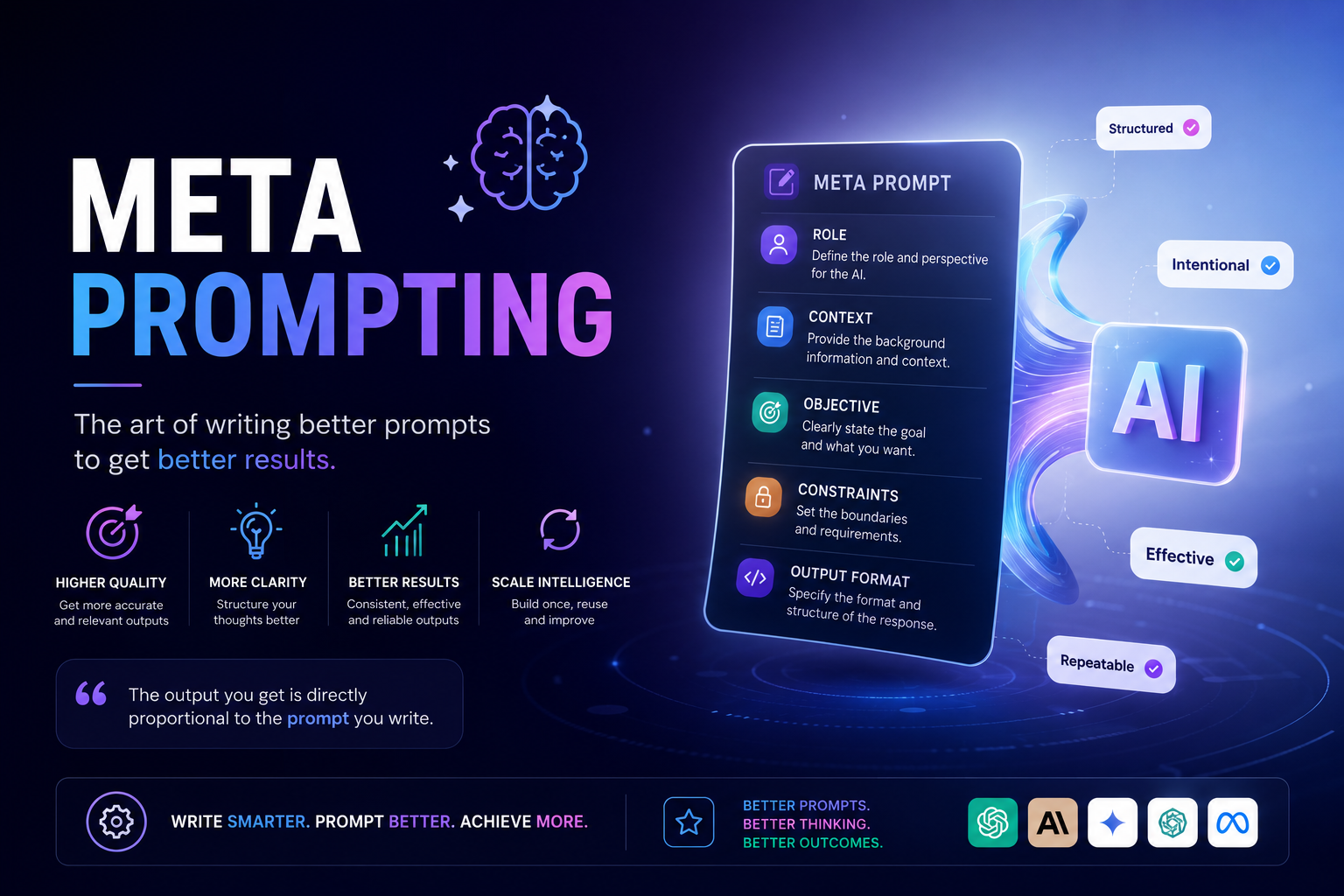
- Anatomy of a Good Meta Prompt
- Step-by-Step Guide to Creating Meta Prompts
- Types of Meta Prompting
- Best Practices
- Common Mistakes
- Real-World Use Cases
- Examples of Meta Prompts
- Advanced Meta Prompting Techniques
- Meta Prompt Templates
- Conclusion
- Cheat Sheet & Quick Reference
1. Introduction to Meta Prompting
What is Prompting?
Prompting is the act of giving instructions to an AI model. Just like you’d give directions to a new employee, a prompt tells the AI what to do, how to respond, and what output to generate. The quality of your prompt directly determines the quality of the AI’s response.
What is a Prompt?
A prompt is any text input you send to an AI model. It can be:
- A question: “What is machine learning?”
- An instruction: “Summarize this article in 3 bullet points.”
- A creative request: “Write a product description for my SaaS tool.”
- A system configuration: “You are a helpful customer support agent…”
Evolution: From Normal Prompting to Meta Prompting
| Generation | Style | Example | Limitation |
|---|---|---|---|
| Basic Prompting | Single question or command | “Write me a blog post about AI.” | Vague, unpredictable output |
| Instructional Prompting | More specific commands | “Write a 500-word blog post about AI trends in 2024.” | Still lacks structure and context |
| Contextual Prompting | Adding background and role | “You are a tech writer. Write a 500-word blog post for startup founders about AI trends.” | Better, but still inconsistent |
| Meta Prompting | A structured, layered prompt system | Full role + context + constraints + output format + examples + validation | Highly consistent, high-quality output |
Why Meta Prompting Matters in Modern AI Workflows
Modern AI is being embedded into products, pipelines, and teams. The difference between a good AI-powered feature and a broken one often comes down to how well the prompt is engineered. Meta prompting is the discipline of building prompts that are:
- Reliable – produce consistent outputs every time
- Scalable – reusable across different inputs
- Controllable – keep AI within defined boundaries
- Auditable – easy to debug and improve
2. Understanding Tokens
What is a Token?
Before you can write great prompts, you need to understand the currency of AI: tokens. Every AI model whether it’s Claude, GPT-4, or Gemini doesn’t read text the way humans do. It reads tokens.
A token is the smallest unit of text that an AI model processes. It is not exactly a word, not exactly a character it’s something in between. Think of tokens as syllable-sized chunks of text that the model has learned to recognize and process as units of meaning.
Simple analogy: If language is a mosaic, tokens are the tiles. Words are made of one or more tiles. Sentences are collections of tiles. The model processes tile by tile, not letter by letter or word by word.
How Are Tokens Calculated?
Token boundaries are determined by the model’s tokenizer an algorithm trained to split text into efficient chunks. Here’s the general rule of thumb:
| Text | Approximate Tokens |
|---|---|
| 1 average English word | ~1.3 tokens |
| 100 words | ~130 tokens |
| 750 words | ~1,000 tokens |
| 1,000 tokens | ~750 words |
| 1 page of text | ~500–600 tokens |
| A short paragraph (50 words) | ~65–70 tokens |
Real Examples of Tokenization
Text: "Hello, world!"
Tokens: ["Hello", ",", " world", "!"]  → 4 tokens

Text: "Unbelievable"
Tokens: ["Un", "believ", "able"]  → 3 tokens

Text: "ChatGPT"
Tokens: ["Chat", "G", "PT"]  → 3 tokens

Text: "AI"
Tokens: ["AI"]  → 1 token

Text: "The quick brown fox"
Tokens: ["The", " quick", " brown", " fox"]  → 4 tokens
Key Patterns to Know
- Common short words (“the”, “is”, “a”) = 1 token each
- Longer or uncommon words get split into multiple tokens
- Spaces and punctuation are often their own tokens
- Code tends to tokenize less efficiently than prose symbols, brackets, and indentation all cost tokens
- Non-English languages (especially non-Latin scripts like Hindi, Arabic, Chinese) use more tokens per word than English — sometimes 2–4x more
How to Visualize It
You can see exactly how any text tokenizes using tools like:
- Tiktokenizer (for OpenAI models): tiktokenizer.vercel.app
- Anthropic’s documentation for Claude’s tokenization behavior
- Most AI APIs return token counts in their response metadata
Why Tokens Are Important
Tokens are the fundamental unit of cost, speed, and capability in AI systems. Understanding tokens directly affects how you design prompts.
1. Cost
AI APIs charge per token both input tokens (your prompt) and output tokens (the AI’s response).
Example (approximate pricing):
- Input: 10,000 tokens  → ~$0.03
- Output: 2,000 tokens  → ~$0.06

A single bloated meta prompt run 10,000 times/month:
- Efficient prompt (800 tokens): ~$2,400/month
- Bloated prompt (3,200 tokens): ~$9,600/month

Same product. 4x cost difference. Just from prompt size.
2. Context Window
Every AI model has a context window a maximum number of tokens it can “see” at once. Think of it as the AI’s working memory.
| Model | Approximate Context Window |
|---|---|
| Claude Sonnet | 200,000 tokens (~150,000 words) |
| GPT-4o | 128,000 tokens (~96,000 words) |
| Gemini 1.5 Pro | 1,000,000 tokens |
| Older models (GPT-3.5) | 4,096–16,000 tokens |
What this means for you:
- Your prompt + all conversation history + the AI’s response must fit within this window
- If you exceed the context window, the model forgets the earliest parts of the conversation
- Long documents, chat histories, and large codebases can fill up the window quickly
Use this link to see how many tokens your consuming
https://www.truecalctools.com/ai-api-cost-calculator
3. Latency
More tokens = more time to generate a response. In real-time applications (chatbots, assistants), prompt size directly affects how fast users see responses.
4. Quality and Coherence
Models can lose focus or “drift” when context windows are very full. Important instructions buried deep in a long prompt may receive less “attention” than instructions at the start or end. This is why prompt structure and ordering matter.
5. Output Control
If you don’t specify a token/word limit in your prompt, the model decides how long to be — and it often defaults to verbose. Always define expected output length.
Practical Token-Awareness Tips
| Situation | Token-Smart Approach |
|---|---|
| Long system prompts | Audit regularly — remove redundant instructions |
| Pasting documents into prompts | Summarize or chunk large documents |
| Multi-turn conversations | Summarize older turns periodically |
| Code generation | Ask for concise code with comments, not verbose explanations |
| Non-English users | Budget 2–3x more tokens than English equivalents |
| Production APIs | Monitor token usage in logs; set max_tokens limits |
Rule of thumb: Write prompts like you’re paying per word — because you are.
3. The Caveman Technique
What Is the Caveman Technique?
The Caveman Technique is one of the most effective and underused prompting strategies for beginners and experts alike. The idea is deceptively simple:
Strip your prompt down to its most primitive, blunt, direct form — like a caveman giving orders — then build it back up with only the essential details.
It’s a mental reset that forces you to answer: “What do I actually want?”
Most people write prompts the way they’d write a polite email — wordy, padded with context, hedged with qualifications. The Caveman Technique goes the opposite direction first.
The Origin of the Idea
The name comes from imagining how a caveman would phrase a request. A caveman wouldn’t say:
“Could you perhaps assist me in generating a concise yet comprehensive summary of the following article, taking into account the needs of a non-technical audience?”
A caveman would say:
“SUMMARIZE. SIMPLE WORDS. SHORT.”
Surprisingly, that second version is closer to what makes AI prompts effective — clarity over courtesy.
Why It Works
AI models don’t reward politeness or complex sentence structure. They reward clarity and specificity. The Caveman Technique eliminates the fog of over-politeness, hedging language, and filler words that dilute the real instruction.
It works because:
- It forces you to identify the core action you want
- It removes ambiguity before you add detail back in
- It reveals whether you actually know what you want (if you can’t state it in 5 words, you may not know yet)
- It produces a strong prompt backbone that advanced layers are then added to
The 3-Stage Process
Stage 1: Caveman Draft (Primitive Core)
Write your request in the most blunt, minimal form possible. No fluff. No politeness. Just the raw instruction.
CAVEMAN DRAFT:
"WRITE EMAIL. CUSTOMER ANGRY. MAKE HAPPY. SHORT."
Stage 2: Upgrade (Add Essential Context)
Now add only the details that genuinely change the output:
UPGRADED:
"Write a customer service email replying to an angry customer
whose order arrived 5 days late. Apologize, offer a 20% discount
on their next order, and keep it under 100 words."
Stage 3: Meta Prompt (Add Role, Format, Constraints)
Now layer on the full meta prompt structure:
FINAL META PROMPT:
ROLE: You are a senior customer success manager known for turning
angry customers into loyal advocates.

TASK: Write a reply to a customer whose order arrived 5 days late
and who is threatening to leave a negative review.

TONE: Empathetic, genuine, non-defensive. Never sound like a template.

CONSTRAINTS:
- Under 100 words
- Must include a specific apology (not "we apologize for any inconvenience")
- Offer a 20% discount code on their next order
- End with a direct line to reach the manager personally

OUTPUT: Just the email body. No subject line needed.
Before and After: 5 Caveman Examples
Example 1 — Blog Post
| Stage | Prompt |
|---|---|
| ❌ Wordy original | “I was hoping you might be able to help me create some content about productivity for my blog that my readers who are entrepreneurs might find helpful…” |
| 🪨 Caveman | “WRITE BLOG. PRODUCTIVITY. ENTREPRENEURS. USEFUL.” |
| ✅ Final | “Write a 600-word blog post for startup founders on the single most underrated productivity habit. Use a direct, no-fluff tone. Include one concrete example.” |
Example 2 — Data Analysis
| Stage | Prompt |
|---|---|
| ❌ Wordy original | “Could you look at these numbers and maybe tell me what you think is going on with our sales?” |
| 🪨 Caveman | “ANALYZE NUMBERS. FIND PROBLEM. TELL ME.” |
| ✅ Final | “Analyze the sales data below. Identify the top 3 trends. Flag any anomalies. Give a one-paragraph recommendation. Use plain language — my audience is non-technical.” |
Example 3 — Code Review
| Stage | Prompt |
|---|---|
| ❌ Wordy original | “Would you mind taking a look at this code and letting me know if there’s anything that might be improved?” |
| 🪨 Caveman | “REVIEW CODE. FIX PROBLEMS. LIST THEM.” |
| ✅ Final | “Review the Python function below. List all bugs, security issues, and style violations. For each issue: state the line number, the problem, and the fix. Output as a numbered list.” |
Example 4 — Meeting Summary
| Stage | Prompt |
|---|---|
| ❌ Wordy original | “Here are my notes from today’s meeting, and I was wondering if you could help me turn them into something organized…” |
| 🪨 Caveman | “MEETING NOTES → SUMMARY. KEY POINTS. ACTION ITEMS.” |
| ✅ Final | “Convert the meeting notes below into a structured summary with three sections: Key Decisions, Action Items (owner + deadline), and Open Questions. Use bullet points.” |
Example 5 — Product Naming
| Stage | Prompt |
|---|---|
| ❌ Wordy original | “I’m building a tool that helps people manage their time better and I need some name ideas that feel modern…” |
| 🪨 Caveman | “NAME MY APP. TIME MANAGEMENT. MODERN. 10 OPTIONS.” |
| ✅ Final | “Generate 10 product name ideas for a time management app targeting busy professionals. Names should be: 1–2 syllables, easy to spell, modern-sounding, and domain-available-friendly. Include a one-line rationale for each.” |
When to Use the Caveman Technique
The Caveman Technique is especially useful when:
- You’re stuck — you’ve rewritten a prompt 3 times and it’s still not working
- Outputs are too generic — the AI is rambling because your instructions are too vague
- You’re over-complicating — your prompt has grown so long you’ve lost track of the core goal
- Teaching someone else — it’s the best way to teach beginners how to prompt because it forces clarity first
The Caveman Test
Before finalizing any prompt, apply the Caveman Test:
Can I state the core goal of this prompt in 10 words or fewer?
If you can’t, your objective isn’t clear enough yet. Simplify first, then elaborate.
✅ PASSES: "Summarize article for beginners. Under 200 words."
✅ PASSES: "Write Python function. Parse CSV. Return dict."
❌ FAILS: "I need help with something related to my content strategy for various platforms..."
4. What is Meta Prompting?
Definition
Meta Prompting is the practice of designing structured, layered prompts that instruct an AI not just what to do, but how to think, how to behave, and how to format its output. It is “prompting about prompting” — a higher-order framework that governs the AI’s entire approach to a task.
Core Concept
A meta prompt wraps multiple layers of instruction into a single, cohesive system:
[Who the AI is] + [What the AI must do] + [What context it has] +
[What rules it must follow] + [How to format output] + [How to validate itself]
How It Differs from Regular Prompting
| Regular Prompt | Meta Prompt |
|---|---|
| Gives a single instruction | Provides a full operating framework |
| No role defined | Explicit role assigned |
| Unstructured output | Structured, formatted output defined |
| No constraints | Constraints and guardrails set |
| No examples | Examples provided for consistency |
| One-shot | Often iterative with self-validation |
Real-World Analogy
Think of regular prompting like calling a freelancer and saying: “Build me a website.” You’ll get something, but probably not what you envisioned.
Meta prompting is like handing that freelancer a detailed creative brief:
- Their job title and role on the project
- The client’s background and goals
- Detailed requirements and design specifications
- Examples of what “good” looks like
- A checklist to review before submitting
The result is dramatically better — not because the freelancer became smarter, but because the instructions became clearer.
Why It Improves AI Outputs
- Removes ambiguity — AI has fewer wrong paths to take
- Provides reference context — AI knows the audience and purpose
- Sets quality standards — examples show what “good” means
- Enables self-checking — AI can validate its own output
5. How Meta Prompting Works
Meta prompting is built on several interconnected mechanisms:
3.1 Context Engineering
You provide the AI with all the background it needs before giving the task.
Context: The user is a non-technical startup founder building a SaaS product.
They have no coding experience and need plain-English explanations.
3.2 Role Assignment
You define a persona for the AI to inhabit. This dramatically shifts the style, tone, and depth of the response.
Role: You are a senior product manager with 10 years of experience at B2B SaaS companies.
3.3 Instruction Layering
Instructions are stacked from high-level (goal) to low-level (specific rules):
Goal → Subtasks → Rules → Edge Cases → Exceptions
3.4 Output Formatting
You tell the AI exactly what the output should look like:
Output format:
- Return a JSON object with keys: title, summary, action_items[]
- Use markdown headers for sections
- Keep the total response under 500 words
3.5 Constraint Definition
Constraints prevent the AI from going off-track:
Constraints:
- Do NOT include technical jargon
- Do NOT suggest tools that cost more than $50/month
- Always cite sources if making factual claims
3.6 Reasoning Guidance
You instruct the AI on how to think before responding:
Before answering, analyze the user's situation from three angles:
1. Business impact
2. Technical feasibility
3. User experience
Then synthesize your findings into a recommendation.
3.7 Self-Improvement Prompts
You ask the AI to review and improve its own output:
After writing your response, review it against these criteria:
- Is it under 300 words?
- Does it use simple language (Flesch reading ease > 60)?
- Does it include a clear call to action?
If any criterion fails, rewrite the relevant section.
3.8 Prompt Chaining
Complex tasks are broken into a chain of prompts where each output feeds the next:
Step 1 Prompt → [AI Output A] →
Step 2 Prompt + Output A → [AI Output B] →
Step 3 Prompt + Output B → [Final Output]
Text Flow Example:
[User Query]
     ↓
[Meta Prompt: Role + Context + Goal]
     ↓
[AI Internal Reasoning Layer]
     ↓
[Constrained Draft Output]
     ↓
[Self-Validation Check]
     ↓
[Formatted Final Output]
6. Anatomy of a Good Meta Prompt
Every high-quality meta prompt contains some or all of the following components:
| Component | Purpose | Example |
|---|---|---|
| Role | Defines who the AI is | “You are an expert UX copywriter” |
| Objective | States the task clearly | “Your goal is to write homepage copy” |
| Context | Provides background | “The product is a B2B invoicing tool for freelancers” |
| Rules | Behavioral guidelines | “Always use active voice. Avoid clichés.” |
| Constraints | Hard limits | “Maximum 150 words. No buzzwords.” |
| Output Format | Defines structure | “Return: Headline, Subheadline, CTA text” |
| Examples | Shows what “good” looks like | “Example headline: ‘Get Paid Faster, Stress Less’” |
| Tone | Emotional register | “Conversational, confident, empathetic” |
| Validation | Self-review criteria | “Check that the CTA starts with a verb” |
Component Deep Dive
Role — Sets the entire cognitive frame. A “senior security engineer” will respond very differently than a “friendly onboarding specialist,” even to the same question.
Objective — Should be one clear sentence. If you can’t state your goal in one sentence, break the task into multiple prompts.
Context — The more specific, the better. Include audience, industry, product stage, and any constraints the AI wouldn’t otherwise know.
Rules — These are guidelines (should follow). Separate from constraints (must follow).
Constraints — Non-negotiable limits: word count, format, forbidden topics, required inclusions.
Output Format — Specify structure, section names, length, and medium (JSON, markdown, plain text, bullet list, etc.).
Examples — Even one good example dramatically anchors the AI’s output quality. Use the format: “Good example: [X]. Bad example: [Y]. Reason: [Z].”
Tone — Describe the emotional register: professional, casual, urgent, empathetic, direct, technical.
Validation — Ask the AI to check its output before returning it. This single step eliminates a huge percentage of errors.
7. Step-by-Step Guide to Creating Meta Prompts
Follow this 8-step framework to build effective meta prompts from scratch:
Step 1: Define Your Goal
Be brutally specific. Don’t say “I want a blog post.” Say “I want a 600-word blog post introduction for a developer audience that explains why REST APIs are becoming obsolete.”
Tip: Write your goal as if briefing a new team member. What do they need to know to succeed?
Step 2: Define the AI’s Role
Choose a role that matches the task. The more domain-specific, the better.
Tip: Instead of “You are an assistant,” try “You are a senior growth marketer at a Series A B2B SaaS startup with deep expertise in email campaigns.”
Step 3: Add Context
Give the AI everything it needs to understand the situation: audience, product, goals, prior work, tone references.
Tip: Add context you think is “obvious.” The AI has no implicit knowledge of your specific situation.
Step 4: Add Constraints
Define what the AI should NOT do as clearly as what it should do.
Tip: Constraints are your quality guardrails. Think about the worst possible output and write constraints to prevent it.
Step 5: Define Output Format
Specify exactly what the response should look like: sections, headings, word count, JSON keys, table structure, etc.
Tip: If the output feeds into code or another system, always request structured formats like JSON or CSV.
Step 6: Add Examples
Provide at least one “good” example of the expected output. For complex tasks, add one “bad” example and explain why it fails.
Tip: Few-shot examples (2–3 examples) produce significantly more consistent outputs than zero-shot prompts.
Step 7: Add Validation Checks
Ask the AI to review its output against a checklist before returning it.
Tip: Frame validation as a series of yes/no questions: “Does the output start with a question? Is it under 100 words? Does it avoid the word ‘leverage’?”
Step 8: Iterate and Improve
Test your prompt with multiple inputs. Identify failure patterns. Refine rules, constraints, or examples to address gaps.
Tip: Keep a prompt changelog. Note what you changed and what improved. Prompts are living documents.
8. Types of Meta Prompting
6.1 Role-Based Prompting
What it is: Assigning a specific expert persona to the AI. When to use: Any task where domain expertise improves output quality.
You are a board-certified nutritionist with 15 years of clinical experience...
6.2 Chain-of-Thought Prompting
What it is: Asking the AI to reason step by step before giving a final answer. When to use: Complex decisions, math problems, multi-variable analysis.
Think through this step by step before answering. First, identify the problem.
Then list possible solutions. Then evaluate each. Finally, recommend the best option.
6.3 Few-Shot Prompting
What it is: Providing 2–5 examples of input/output pairs before the actual task. When to use: When you need consistent formatting or tone.
Example 1:
Input: [bad review]
Output: [empathetic, solution-focused reply]

Example 2:
Input: [feature request]
Output: [acknowledgment + roadmap response]

Now respond to this: [new input]
6.4 Self-Critique Prompting
What it is: Asking the AI to evaluate and improve its own output. When to use: High-stakes content, creative writing, complex analysis.
Write your response. Then critique it against these 3 criteria.
Then rewrite to address any failures.
6.5 Recursive Prompting
What it is: Using the AI’s own output as input for a deeper or refined version. When to use: Iterative refinement, summarization of summaries, nested analysis.
6.6 Agentic Prompting
What it is: Giving the AI autonomous decision-making authority over a multi-step workflow. When to use: AI agents, automated pipelines, tool-using systems.
You have access to the following tools: [search, write, email].
Given the user's goal, determine which tools to use and in what order.
6.7 Workflow Prompting
What it is: Structuring a prompt as a series of conditional steps. When to use: Automating business processes, support flows, decision trees.
6.8 Structured Output Prompting
What it is: Forcing the AI to return machine-readable, structured data. When to use: API integrations, databases, dashboards.
Return ONLY a valid JSON object. No explanation. No markdown.
Schema: { "title": string, "tags": string[], "score": number }
9. Best Practices
Keep Instructions Clear
Use plain language. Avoid instructions that require interpretation. If you read it back and it’s ambiguous, rewrite it.
Avoid Ambiguity
“Write something short” is ambiguous. “Write exactly 3 sentences” is not.
Use Constraints Effectively
Constraints should be specific and measurable. “Don’t be too formal” is weak. “Use a Flesch-Kincaid grade level of 8 or below” is strong.
Use Examples
One well-chosen example is worth ten additional instruction sentences. Always include at least one example for creative or formatting tasks.
Define Output Structure
Always tell the AI what to return, not just what to do. Structure removes ambiguity at the output stage.
Ask AI to Verify Outputs
Self-validation is free quality assurance. Build it into every prompt for high-stakes use cases.
Iterative Refinement
Don’t expect perfection on the first draft. Run the prompt 3–5 times with varied inputs to identify weak spots, then patch them.
Modular Prompts
Build reusable prompt modules (role block, context block, output block) that you can compose for different tasks. This saves time and ensures consistency.
10. Common Mistakes
Overloading Prompts
Trying to accomplish too many things in one prompt creates confusion. If a task has more than 3 distinct goals, break it into separate prompts.
Contradictory Instructions
“Be brief but comprehensive” is contradictory. Review prompts for conflicting directives before deployment.
Missing Context
The AI only knows what you tell it. Missing context = guessing. Always ask: “What would a new hire need to know to do this task?”
Vague Output Expectations
“Give me something good” tells the AI nothing. Define “good” with concrete criteria.
No Formatting Instructions
Without formatting guidance, output structure is random. Always define whether you want markdown, JSON, plain text, or a table.
Unrealistic Expectations
AI is not omniscient. Don’t ask for real-time data, highly specialized legal/medical judgments, or guaranteed factual accuracy without verification.
11. Real-World Use Cases
| Industry / Use Case | How Meta Prompting Helps |
|---|---|
| SaaS Development | Generate PRDs, user stories, API specs, and test plans with consistent structure |
| Content Writing | Produce on-brand blog posts, email sequences, and social content at scale |
| Customer Support | Route, categorize, and respond to support tickets with defined tone and escalation rules |
| Coding Assistants | Write, review, and refactor code with language, style, and security constraints |
| UI/UX Generation | Generate wireframe copy, component descriptions, and design specs |
| Marketing Automation | Build email campaigns, ad copy, and A/B test variants with brand voice guardrails |
| CRM Workflows | Summarize call notes, generate follow-up emails, qualify leads automatically |
| AI Agents | Power autonomous agents that plan, act, and self-correct within defined boundaries |
12. Examples of Meta Prompts
Example 1: Website Development Assistant
❌ Bad Prompt:
Help me build a website.
⚠️ Improved Prompt:
Help me build a landing page for my SaaS product.
It's a project management tool for remote teams.
✅ Advanced Meta Prompt:
ROLE: You are a senior full-stack developer and conversion rate optimization (CRO) expert
with 10+ years of experience building SaaS landing pages.

OBJECTIVE: Create the complete HTML/CSS code for a high-converting landing page.

CONTEXT:
- Product: Remote team project management SaaS
- Target audience: Operations managers at 50–500 person companies
- Goal: Drive free trial signups
- Tone: Professional, modern, trust-building

REQUIREMENTS:
- Hero section with headline, subheadline, and CTA button
- 3 feature sections with icons and descriptions
- Social proof section (testimonial placeholders)
- Pricing section (3 tiers)
- Footer with links

CONSTRAINTS:
- Mobile-first responsive design
- No external dependencies (vanilla HTML/CSS only)
- CTA button color: #4F46E5
- Max page load: optimized for speed

OUTPUT FORMAT: Complete, copy-paste ready HTML file with embedded CSS.

VALIDATION: Before returning, check that:
(1) all sections are present,
(2) the page is mobile responsive,
(3) the CTA appears at least twice.
Why the advanced version works better: It defines the expert role, specifies every section needed, constrains the tech stack, and includes self-validation — removing all guesswork.
Example 2: SaaS PRD Generator
❌ Bad Prompt:
Write a PRD for my app.
⚠️ Improved Prompt:
Write a product requirements document for a time-tracking SaaS app.
✅ Advanced Meta Prompt:
ROLE: You are a Principal Product Manager at a Series B SaaS company with deep experience
writing PRDs that engineering teams can build from directly.

OBJECTIVE: Generate a complete Product Requirements Document (PRD) for a new feature.

CONTEXT:
- Product: B2B time-tracking SaaS for agencies
- Feature: Automated invoice generation from tracked time entries
- Users: Project managers and billing admins
- Current state: Users manually export CSV and build invoices in Excel
- Success metric: Reduce invoice creation time by 80%

OUTPUT FORMAT — Return a PRD with these exact sections:
1. Overview & Problem Statement
2. Goals & Non-Goals
3. User Stories (in "As a [user], I want to [action] so that [outcome]" format)
4. Functional Requirements (numbered list)
5. Non-Functional Requirements
6. Edge Cases & Open Questions
7. Success Metrics

CONSTRAINTS:
- Engineering-ready language (specific, not vague)
- Each user story must include acceptance criteria
- Flag any assumptions with [ASSUMPTION] tag

VALIDATION: Confirm all 7 sections are present. Flag any user story missing acceptance criteria.
Why the advanced version works better: The output format section guarantees completeness. The validation step catches missing acceptance criteria before delivery.
Example 3: AI Coding Assistant
❌ Bad Prompt:
Write a Python function to send emails.
⚠️ Improved Prompt:
Write a Python function that sends emails using SMTP.
Include error handling.
✅ Advanced Meta Prompt:
ROLE: You are a senior Python backend engineer who writes production-grade,
security-conscious code following PEP 8 standards.

OBJECTIVE: Write a reusable email sending utility function.

CONTEXT:
- Language: Python 3.11
- Library: Use smtplib (standard library only, no third-party packages)
- Environment: The function will run in a serverless AWS Lambda function
- Credentials are stored in environment variables (never hardcoded)

REQUIREMENTS:
- Support HTML and plain-text email bodies
- Support multiple recipients (To, CC, BCC)
- Support file attachments
- Return a success/failure dict, not raise exceptions

CONSTRAINTS:
- Never hardcode credentials
- Follow PEP 8
- Include type hints for all parameters
- No print statements — use Python logging module

OUTPUT FORMAT:
- The function code in a code block
- Below it: a docstring-style usage example
- Below that: a list of environment variables the caller must set

VALIDATION: Before returning, verify:
(1) type hints are present,
(2) no credentials are hardcoded,
(3) the function returns a dict.
Why the advanced version works better: Security constraints prevent credential leakage. Output requirements ensure the code is immediately usable in production.
Example 4: Marketing Automation Workflow Creator
❌ Bad Prompt:
Create an email marketing campaign.
⚠️ Improved Prompt:
Create a 5-email drip campaign for users who signed up but haven't activated.
✅ Advanced Meta Prompt:
ROLE: You are a B2B SaaS growth marketer specializing in lifecycle email campaigns
with a proven record of improving activation rates.

OBJECTIVE: Design a 5-email activation drip campaign for trial users who haven't
completed onboarding within 48 hours of signup.

CONTEXT:
- Product: AI-powered CRM for sales teams
- Trial length: 14 days
- Activation = creating first deal in the pipeline
- Audience: Sales managers and SDRs at 10–200 person companies
- Brand voice: Confident, helpful, no-nonsense. Never pushy.

FOR EACH EMAIL, PROVIDE:
- Email number and send timing (e.g., "Email 1 — 48 hours after signup")
- Subject line (A and B variant for A/B testing)
- Preview text (under 90 characters)
- Body copy (under 200 words)
- Primary CTA (one button only)
- Goal of this email

CONSTRAINTS:
- No more than one CTA per email
- Never use the word "free" (triggers spam filters)
- Always personalize with {{first_name}}
- Emails 1–3 are educational; Emails 4–5 create urgency

VALIDATION: Check that each email has both subject line variants,
that no email exceeds 200 words, and that urgency only appears in emails 4 and 5.
Why the advanced version works better: The per-email structure guarantees completeness. The A/B variant requirement doubles the value. Spam filter constraints prevent deliverability issues.
13. Advanced Meta Prompting Techniques
Multi-Agent Prompting
Split complex workflows across multiple AI agents, each with a specialized role and prompt. One agent researches, another drafts, a third reviews.
Agent 1 (Researcher): "Collect and summarize all relevant data..."
Agent 2 (Writer): "Using the research summary below, draft a report..."
Agent 3 (Editor): "Review the draft below against these quality standards..."
Tool-Aware Prompting
When your AI has access to tools (search, code execution, APIs), the prompt must describe available tools and define when to use each.
You have access to:
- web_search: Use when you need current information
- code_interpreter: Use when calculations or data processing are needed
- database_query: Use when the user asks about their account data

Always state which tool you're using and why before calling it.
Reflection Prompts
After a task, ask the AI to reflect on its own approach and identify improvements.
After completing the task, write a brief "Reflection" section:
- What assumptions did you make?
- What information would have helped you do this better?
- What would you do differently with more context?
Evaluation Prompts
Use one AI instance to evaluate the output of another (or a previous run).
You are a quality evaluator. Below is an AI-generated response.
Score it on: Accuracy (1-5), Clarity (1-5), Completeness (1-5).
Explain each score. Provide specific suggestions for improvement.
Autonomous Agent Workflows
Design prompts that give the AI a goal and let it determine the steps:
Goal: [user's objective]
You have these capabilities: [list tools]
Plan the steps needed to achieve the goal.
Execute each step.
Report progress and final outcome.
If you encounter an error, explain it and suggest alternatives.
Prompt Templates
Build parameterized templates with placeholder variables:
ROLE: You are a {role} specializing in {domain}.
TASK: {task_description}
AUDIENCE: {audience}
TONE: {tone}
OUTPUT: {output_format}
Dynamic Context Injection
In production systems, programmatically inject real-time context (user data, database records, API responses) into the prompt before sending to the AI:
const prompt = `
  CONTEXT: The user's name is${user.name}.
  They have${user.openTickets} open support tickets.
  Their subscription tier is${user.plan}.

  TASK: Generate a personalized response to their query: "${user.message}"
`;
14. Meta Prompt Templates
For Developers
ROLE: You are a senior [language] engineer following [coding standard] best practices.
OBJECTIVE: [specific coding task]
CONTEXT: [codebase context, dependencies, environment]
REQUIREMENTS: [functional requirements]
CONSTRAINTS: [performance, security, style constraints]
OUTPUT: [code block + docstring + usage example]
VALIDATION: Verify [type safety / no hardcoded values / test coverage / error handling]
For Designers
ROLE: You are a senior UX designer with expertise in [design system/platform].
OBJECTIVE: [design task — wireframe, copy, specification]
CONTEXT: [product, user persona, design system]
REQUIREMENTS: [components, interactions, accessibility needs]
CONSTRAINTS: [brand guidelines, platform constraints]
OUTPUT: [format — component spec / copy / user flow]
VALIDATION: Check [accessibility / brand alignment / completeness]
For Product Managers
ROLE: You are a senior product manager at a [stage] [industry] company.
OBJECTIVE: [PM artifact — PRD, user story, roadmap item]
CONTEXT: [product, users, current state, business goal]
REQUIREMENTS: [sections to include]
CONSTRAINTS: [engineering-ready language, stakeholder audience]
OUTPUT: [structured document with defined sections]
VALIDATION: Confirm [all sections present / acceptance criteria included / metrics defined]
For Content Creators
ROLE: You are a [content type] specialist writing for [brand/publication].
OBJECTIVE: [content piece — blog post, email, social post, video script]
CONTEXT: [audience, topic, funnel stage, SEO keywords if applicable]
TONE: [brand voice descriptor]
CONSTRAINTS: [word count, reading level, CTA requirements]
OUTPUT: [complete content piece + headline variants + meta description]
VALIDATION: Check [word count / CTA present / no prohibited words / on-brand tone]
For Startup Founders
ROLE: You are a [relevant expert] with experience in [startup stage/industry].
OBJECTIVE: [specific deliverable — pitch, strategy, analysis]
CONTEXT: [company stage, product, target market, current traction]
GOAL: [what success looks like]
CONSTRAINTS: [time horizon, budget, team size]
OUTPUT: [actionable recommendations / structured plan / analysis]
VALIDATION: Ensure [recommendations are actionable / assumptions are flagged / priorities are ranked]
15. Conclusion
Why Meta Prompting Is Important
The gap between a mediocre AI output and a production-ready one is almost never the model — it’s the prompt. Meta prompting gives you systematic control over that gap. As AI becomes embedded in every business function, the ability to engineer high-quality prompts becomes a foundational professional skill.
The Future of AI Instruction Engineering
We are moving toward a world where:
- Prompts become assets — reusable, version-controlled, and shared across teams
- Prompt engineering becomes a discipline — with standards, frameworks, and specialists
- AI systems self-improve prompts — using meta-evaluation loops to optimize their own instructions
- Personalization scales — dynamic context injection will allow AI to serve millions of unique experiences with one well-crafted meta prompt system
How to Improve Over Time
- Build a prompt library — save and version your best prompts
- Run structured experiments — test one variable at a time (role, constraints, examples)
- Review failures — when AI goes wrong, diagnose the missing prompt element
- Study outputs from great AI products — reverse-engineer what makes them work
- Share and collaborate — prompt engineering improves fastest in teams
Cheat Sheet & Quick Reference
⚡ The Meta Prompt Formula
META PROMPT = Role + Objective + Context + Rules + Constraints + Output Format + Examples + Validation
🧩 Quick-Reference Framework
| Element | Question to Ask Yourself |
|---|---|
| Role | Who should the AI be for this task? |
| Objective | What is the single, clear goal? |
| Context | What background does the AI need? |
| Rules | What should it always do? |
| Constraints | What must it never do? |
| Output Format | Exactly what should the response look like? |
| Examples | Can I show it one good example? |
| Tone | What emotional register is appropriate? |
| Validation | How can the AI check its own work? |
📋 Final Best-Practice Checklist
Before deploying any meta prompt, verify:
- [ ] Role is specific and domain-relevant
- [ ] Goal is stated in a single, unambiguous sentence
- [ ] Relevant context is included (audience, product, purpose)
- [ ] At least one positive example is provided
- [ ] Constraints cover the most common failure modes
- [ ] Output format is explicitly defined
- [ ] No contradictory instructions exist
- [ ] Self-validation criteria are included
- [ ] Prompt has been tested with at least 3 different inputs
- [ ] Prompt is modular and reusable
🪨 The Caveman Test (Quick Clarity Check)
Before writing your full meta prompt, answer this in 10 words or fewer:
"What do I want the AI to DO?"

✅ Good: "Summarize article. Simple words. 150 words max."
✅ Good: "Write Python CSV parser. Return dict. Add error handling."
❌ Bad: "Help me with some content-related things for my audience..."
If you can’t pass the Caveman Test, stop and clarify your goal first.
💡 Token Quick-Reference
| Rule | Guideline |
|---|---|
| Average English word | ~1.3 tokens |
| 1,000 tokens ≈ | ~750 words |
| Always set | max_tokens in API calls |
| Long prompts cost | More money + more latency |
| Non-English text | Budget 2–3x more tokens |
| Context window = | AI’s working memory — don’t overflow it |
🔑 The 3 Laws of Meta Prompting
- Specificity beats generality — The more precisely you define the task, role, and output, the better the result.
- Examples beat instructions — Showing “what good looks like” works better than describing it.
- Constraints prevent disasters — What you tell the AI not to do is as important as what you tell it to do.
This guide is a living document. As AI capabilities evolve, so should your prompting strategies. Revisit, refine, and rebuild — that’s the way of the skilled prompt engineer.
Document Version: 1.0
Audience: Developers, Product Managers, Founders, AI Builders, Non-technical Learners
Estimated Reading Time: 25–35 minutes